
What Is a PoE Extender and How Does It Work
How a PoE extender regenerates both data and power to push a link past 100 metres, how far you can cascade them, and what the power budget looks like through a chain.
The 100 metre limit on a twisted-pair Ethernet channel is the single most common constraint in network design, and it is rarely where the cameras need to go. A PoE extender is the least expensive way around it: a small inline device that takes a PoE link in, regenerates the Ethernet signal, and passes power onward to devices another 100 metres away. Understanding what happens inside one tells you when it is the right tool and when you should be running fiber instead.
Why 100 Metres Exists
The limit is not arbitrary and it is not about power. It comes from the physics of the signal: attenuation, insertion loss and timing budgets in the 802.3 specification for BASE-T over balanced twisted pair. The standard defines a 100 m channel as 90 m of horizontal cable plus up to 10 m of patch cords at each end. Past that, bit error rates climb and the link either drops to a lower speed or fails to come up at all. Power has its own separate limit driven by conductor resistance, but data is what fails first.
What Is Inside an Extender
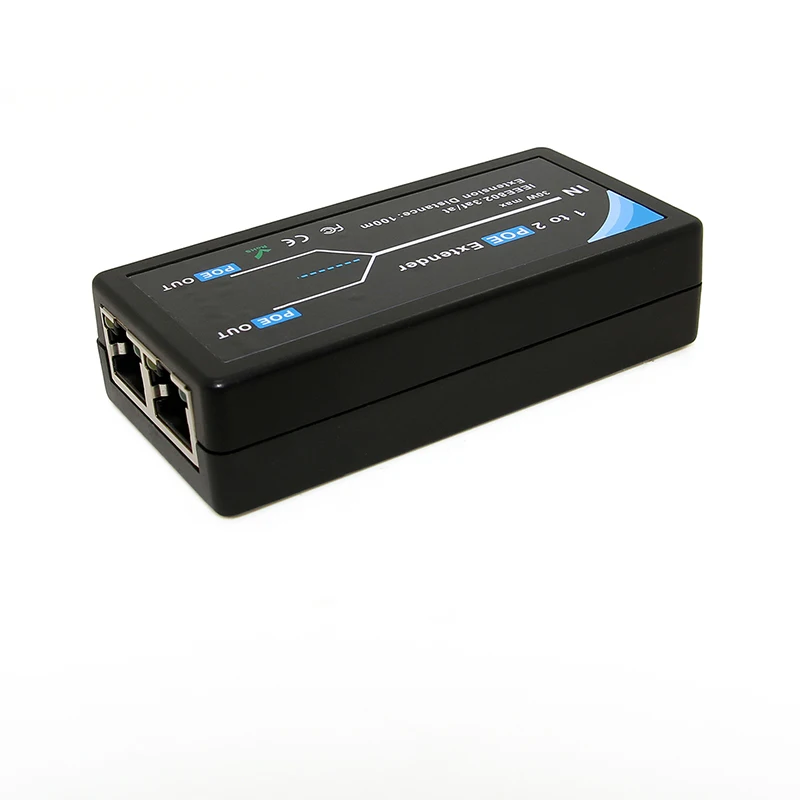
A PoE extender is three functional blocks in one enclosure. On the input side it behaves as a powered device: it presents a detection signature, classifies itself, and draws power from the upstream PSE. In the middle sits an Ethernet PHY and switch fabric that receives the incoming signal, recovers the clock, and retransmits a clean, full-amplitude waveform - this is the part that resets the 100 m budget. On the output side it behaves as power sourcing equipment, running its own detection and classification cycle against whatever is plugged into its downstream ports.
That last detail is what separates a real extender from a passive coupler. Because the output stage is a genuine PSE, the downstream device gets a properly negotiated PoE link, not a raw voltage. It also means the extender consumes a few watts of its own for the PHY and the switching logic.
Cascading: How Far Can You Go
Each extender resets the data budget, so distance accumulates in 100 m increments. Most extenders support cascading up to three or four units, giving a practical reach of 400 m to 500 m from the source switch. The ceiling is set by power, not signal quality.
| Configuration | Total reach | Typical source requirement |
|---|---|---|
| Switch direct to PD | 100 m | 802.3af / at port |
| Switch + 1 extender | 200 m | 802.3at (30 W) port |
| Switch + 2 extenders | 300 m | 802.3at or 802.3bt port |
| Switch + 3 extenders | 400 m | 802.3bt Type 3 (60 W) port |
The Power Budget Through a Chain
Every hop costs you twice: once for the extender's own consumption, and once for conduction loss in the 100 m of cable feeding it. A rough working figure is 2 W to 4 W lost per hop for the electronics plus a further 2 W to 4 W in the cable at moderate load. Start with a 30 W 802.3at port, chain two extenders, and the device at the far end may see only 12 W to 15 W - enough for a fixed dome camera, not enough for one with a heater. This is why extender chains that "worked fine in summer" fail in the first cold week of the year.
The practical rule: work backwards from the load. Decide what the end device needs, add roughly 6 W per hop, and pick a source port class that covers the total. Feeding a long chain from an 802.3bt Type 3 port rather than an 802.3at port often costs less than adding a powered cabinet halfway along the run.
Gigabit or Fast Ethernet
Cheaper extenders are 10/100 Mbps only. That is genuinely sufficient for a single 1080p camera stream, and it is a trap for everything else. A modern 4K camera, a multi-camera branch, or an access point sharing the same run will saturate 100 Mbps quickly, and the failure looks like intermittent video artefacts rather than an obvious outage. If the extender feeds anything except one modest camera, specify a gigabit model.
Extenders Versus Fiber
Fiber has no distance problem and no power loss, but it carries no power at all, so a remote camera on fiber still needs a local power source or a media converter with its own PSE. Extenders win when there is already copper in the ground, when the total distance is under roughly 500 m, and when the remote load is modest. Fiber wins beyond that, in high-lightning-risk outdoor runs where galvanic isolation matters, and wherever bandwidth will grow.
Selection Checklist
Check five things before buying: the PoE standard supported on the input and, separately, on the output; whether the unit is gigabit or 10/100; the number of downstream ports and whether the power budget is shared between them; the maximum cascade depth the manufacturer will support; and the operating temperature range, since extenders frequently end up in unconditioned spaces such as ceiling voids, poles and roadside cabinets. An extender rated 0 °C to 40 °C in an outdoor enclosure is a callout waiting to happen.
Need PoE hardware for your project?
Browse our PoE splitters or request a custom power module built to your spec.